Guide, 3 min, with video
Start a New Quote
No renewal letter, a prospect, or a group with no coverage today. Quote it from scratch.
Start a New Quote, 0:57
Step 1
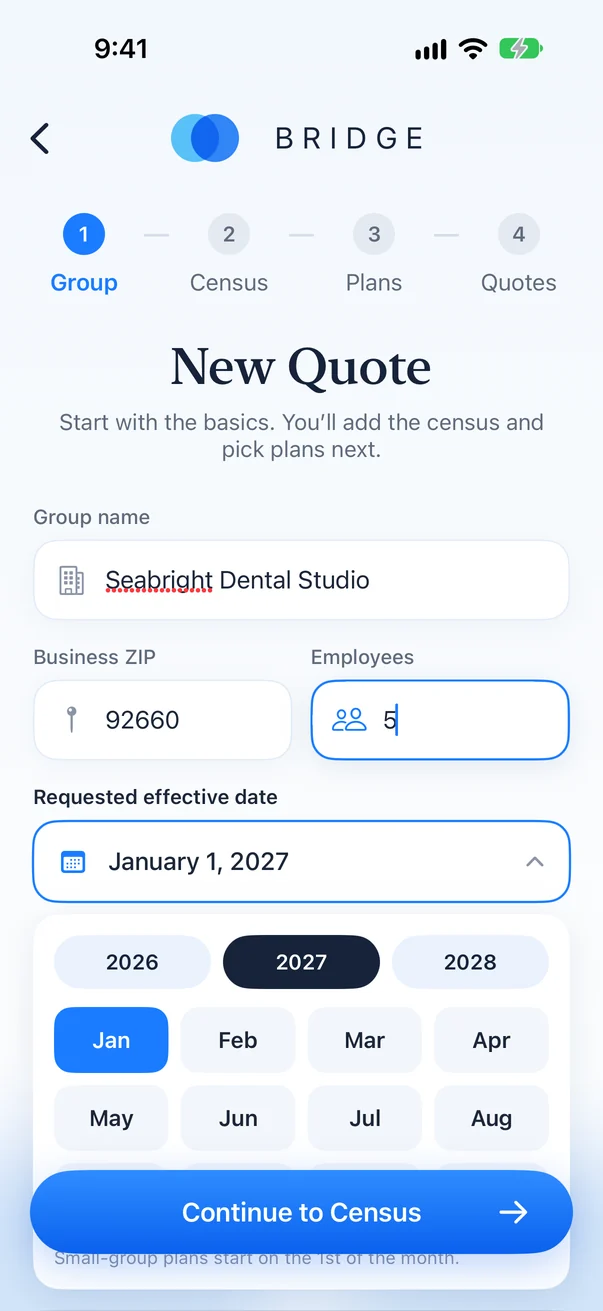
Name the group
Tap New Quote, then enter the group name and its 5-digit ZIP. The ZIP sets the rating region.
Step 2
Pick the effective month
Choose the year and tap a month. It defaults to January of next year.
Step 3
Add current plans, or skip them
With current plans, the renewal is the baseline. Without them, options are ranked from the lowest total monthly premium.
Step 4
Enter the census
Add each employee's age and who they cover. That is all Bridge needs to age-rate every member.
Step 5
Review the plans and run it
Bridge lists the plan it picked at each carrier. Uncheck any you do not want, then run the quote.