Guide, 2 min, with video
Read your results
What every number on the results screen means, and where it goes in the proposal.
Read your results, 0:36
Step 1
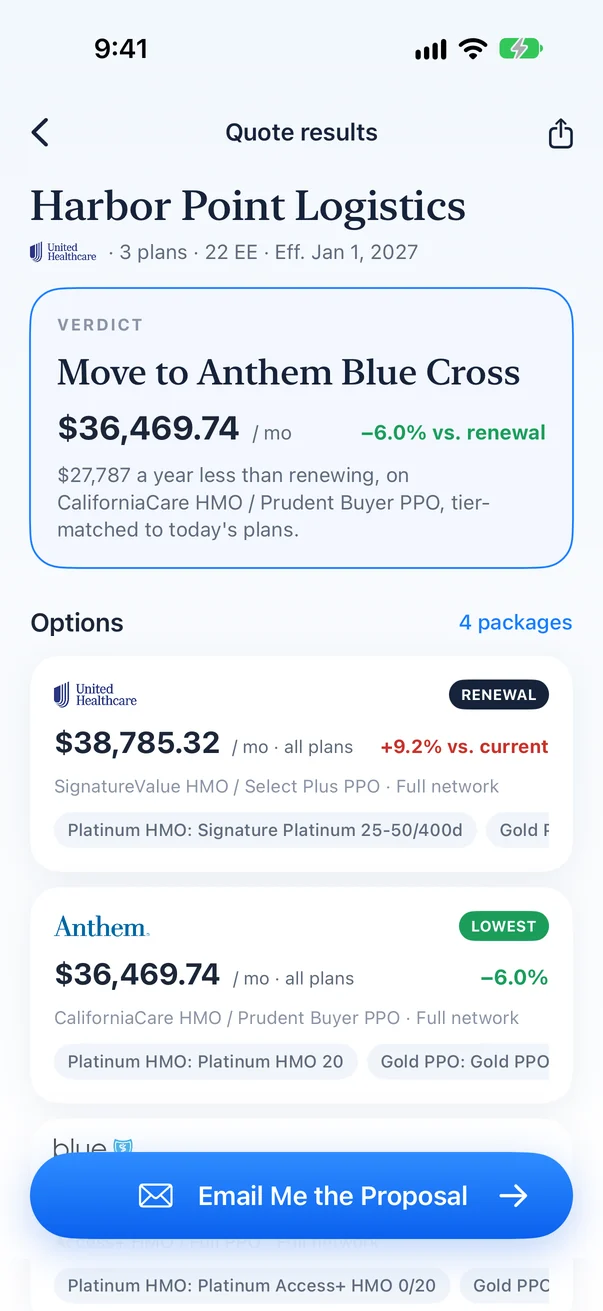
Start with the verdict
The headline names the lowest like-for-like option and what it saves against the renewal each month.
Step 2
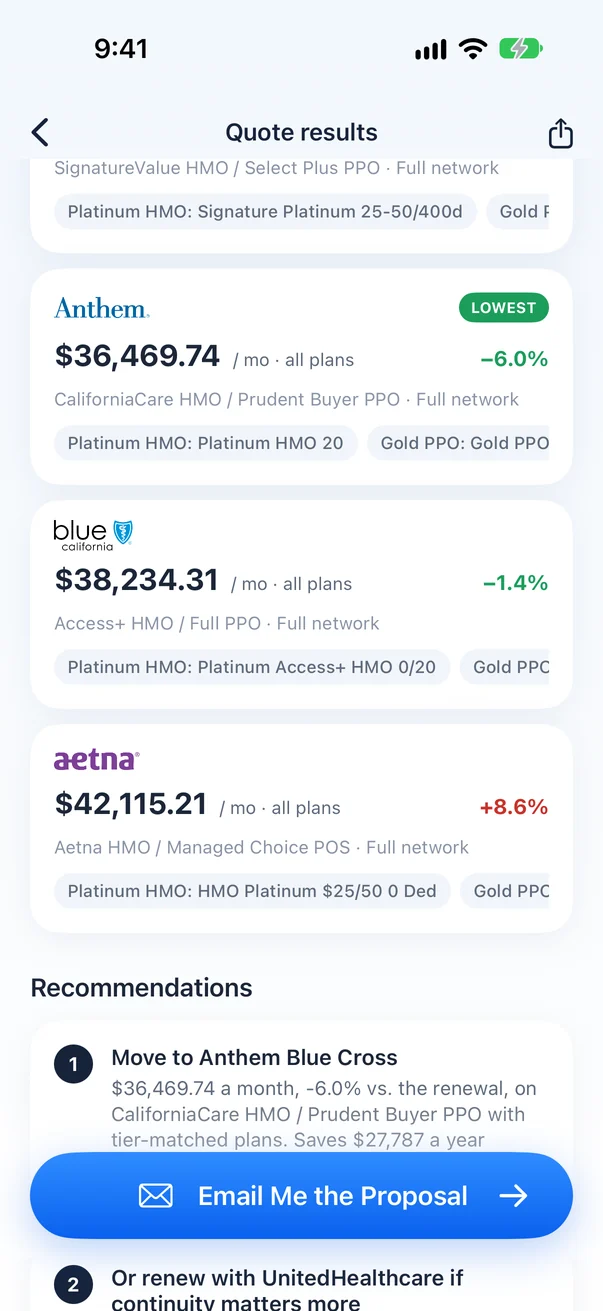
Compare the options
Each option shows its carrier, networks and total monthly premium, ranked against the renewal.
Step 3
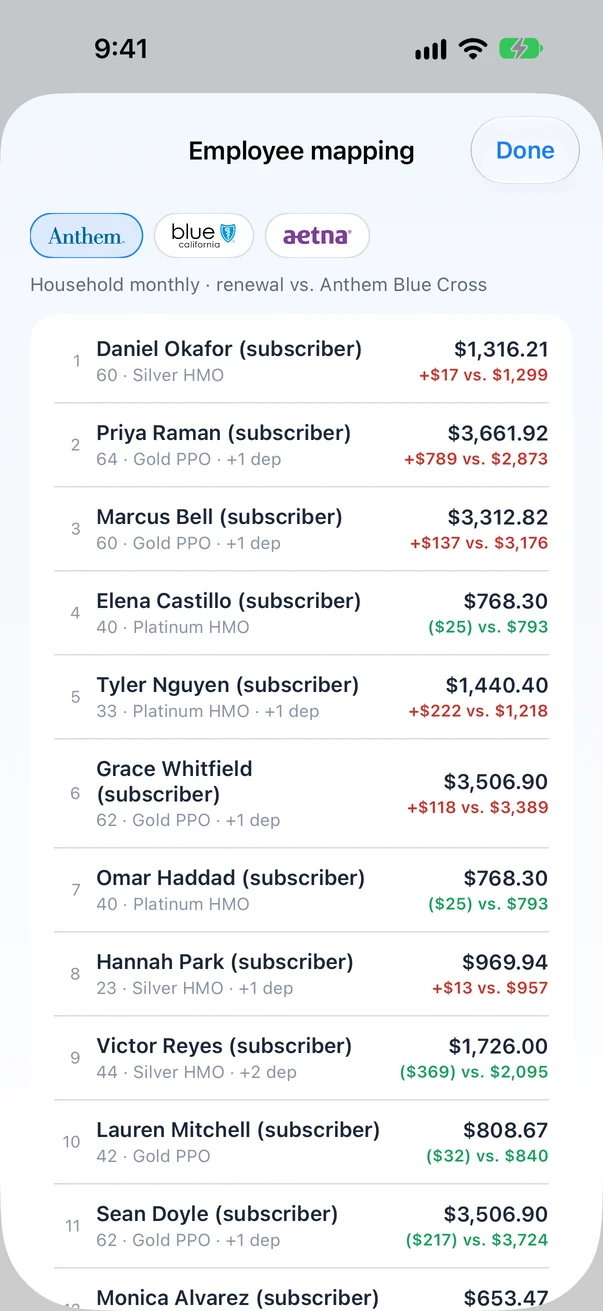
Open the employee mapping
Every employee, the plan they land on at each carrier, and their own premium.
Step 4
Open the proposal
The PDF carries the same numbers, laid out for your client.